
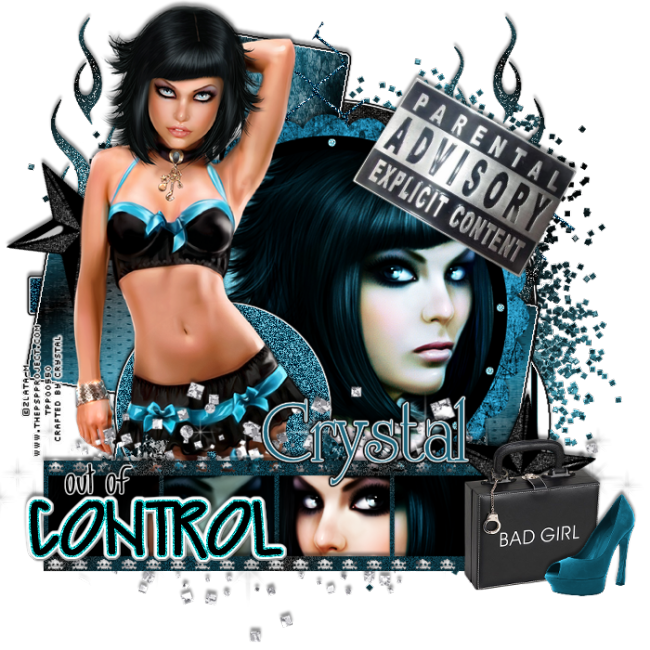
On March 14th, 2012.
*Updated on January 27, 2026*
Supplies:
Temp by Cakes
Tube(s) by Zlata M
Scrap Kit by Alikas Scraps
Filters:
Eye Candy~Grad Glow (Optional)
DSB Flux~ Bright Noise (optional)
Drop Shadow:
Your Preferred settings
Template:
*Layer 7...Select All/Float/Defloat...C&P Paper 11 into selection
*Layer 6...MW...Expand 2...C&P Paper 3 into selection
*Layer 5...Adjust/Manual color(Desired Shade)
*Layer 4...MW Both Circles...C&P Paper 2 into selection
*Layer 3...MW...C&P Paper 13 into selection
*Layer 2...MW...C&P Paper 12 into selection
*Layer 1...MW...Adjust/Manual Color (Desired Shade)/Add Desired ammount of noise
*Add Grad Glow to the template shapes for that pop out effect (Optional)
*Layer 2...Select/Float/Defloat/Contract by 4
C&P Close Up of your Tube...Invert Delete Deselect
Duplicate tube...Oringinal Luminace L/Opacity 66%
Copy Hard Light/Opacity 100%
C&P Elements:
*13...RS 85%...Slide under Layer 3...Duplicate/Mirror
*35...RS 85%...Slide to the bottom of all your layers
Place Full Body tube on the top of all your layers..RS if needed
*8...RS 75%...MW in each open frame part and fill with desired color(s)
I added the close up tubes eyes and used the Blend mode
you may use elements if you would like
*74...C&P above Layer 5
*2...RS 55%...Free Rotate 30%/Left...Slide above Layer 1...Duplicate/Mirror/Flip
Place Copy above Element 8
*60...RS 55%...Free Rotate 30%/Right...Place toward the top Right of your Tag
*83...RS 55% x2...Place in front of the Star at the bottom right corner
*86...RS 45% and then 75%...Mirror...Place in front of the briefcase
*24...RS 75% and then 90% x2 to fit over Layer 2
*79...RS 90% x2...Place above Main Tube image
*Place Template Wordart where you prefer
Add your name, Copyright info and Watermark
Re-Size your tag if you want to and you are done
No comments:
Post a Comment