
This tutorial was written by Chasunicorn
On September 19, 2012
*Updated on January 27, 2026*
Supplies:
Jessica Dougherty 19-1 Scrap Kit by Abstract Creations
Template by MelissaV HERE
Mask of Choice
Filters:
Xero- Fritillary
DSB Flux-Bright
Eye Candy: Impact- Glass
Eye Candy: Impact- Gradient Glow
Drop Shadow:
Whatever you prefer
Template:
*Open the template Duplicate and close the original
Delete the credits layer on the Copy.
*Background...MW...C&P paper 4 into selection apply a mask of Choice
Merge Group
*Strip 3...MW...Flood Fill with black...Apply Xero- Fritillary
Settings 5/55/75/165
*Strip 2...MW...Flood fill with an Orange that matches your tube or Kit
Apply Xero- Fritillary Settings 5/55/75/165...Slide layer below Strip 3
*Strip 1...MW...Change you color palette to a Fore/Background gradient
Settings Linear/Angle: 45/Repeats: 1...Flood Fill...Apply a Soft Noise with
DSB Flux-Bright Noise 30%
*Center Rectangle...MW...C&P Paper 2 into selection
*Frame...MW...Flood fill with Gradient change the repeats to 10...Add Soft Noise
with DSB Flux same settings as Strip 1
Lets add a bit of shine to the frame by adding a glass effect with
Eye Candy: Impact- Glass...Use any setting you like.
*Circles...We are going to color every other circle black...and then the others will be
Colored Orange...Add a Lot of noise with DSB Flux-Bright noise 95%
**Optional...Add a 2 tone Gradient Glow to Strips and Circle Layers
C&P Elements:
**Add your preferred Tube where you think it looks best
Click on the frame layer...MW inside the frame...Selections/Modify/Expand 3
Select your Tube layer and Duplicate...Slide one copy of it below the frame...
Selections/Invert Delete...Click on the top tube layer and delete any part of
the tube that is hanging below the frame.
*Element 2...RS 65%...Mirror and place in front of the Circles
*Element 9...RS 65%...Place in the top left corner of the frame
Duplicate and Mirror...Merge Down...Duplicate the Merged Layers and Flip
Again Merge Down and slide the web down to be placed on top of the Mask
*Element 11...Place above the Center Rectangle...Arrange so that none of the
Element shows pass the frame
*Element 1...RS 65% 2 times...Place in the top left corner
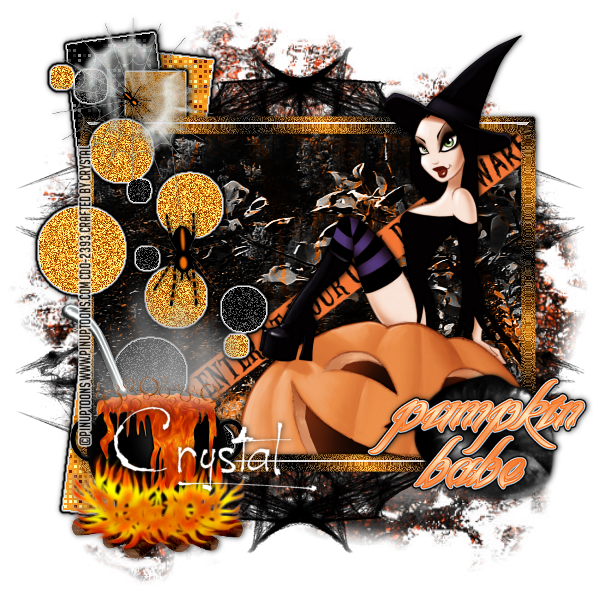
(See my tag for reference)
*Word Art 1...Add a gradient glow (Optional)...Place on your tag where you like
Add your name, Copyright info and Watermark
Re-Size your tag if you want to and you are done
No comments:
Post a Comment