
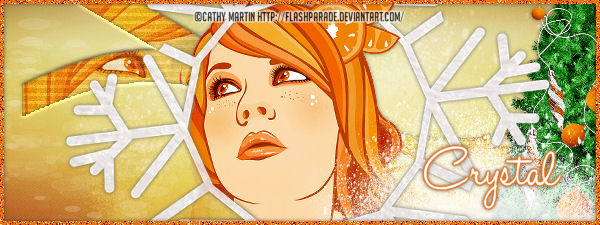
This tutorial was written by Chasunicorn
on December 28, 2012.
*Updated on January 27, 2026*
Supplies:
Tube by Cathy Martin
Scrap by KnC Scrapz
Filters:
Photo Effex~ Scanelines
Canvas Size:
600x225
*Raster 1...Flood fill with a color from your kit or tube
Apply Photo Effex~ Scanelines...Play with the settings to
chose what you like add noise to the layer
*Raster 2...Add a new Raster...
Select All...C&P a paper of choice into selection
*Raster 3 (Cut outs)...Draw out a rectangle with your
preset shape tool set as a rectangle...Objects/Align/Center of Canvas
Duplicate and Rotate your Rectangle to your liking i used a 30% to the left...
Apply a wave to one of your rectangles...Settings 0/13/10/100/Transparent
Merge layers down...MW your shape Highlight your paper layer...Delete
Add a bevel to the paper layer
*Tube...Add you close up under the paper layer adjust the image so it is
looking out of the shape you created...Blend Mode Soft Light
Duplicate but on this copy Blend mode Hard Light and Opacity 65%
*Add any Elements you would like
*Border...Add a Raster flood fill with a coordinating color...
Add a small amount of noise
Add your name, Copyright info and Watermark
Re-Size your tag if you want to and you are done
No comments:
Post a Comment