
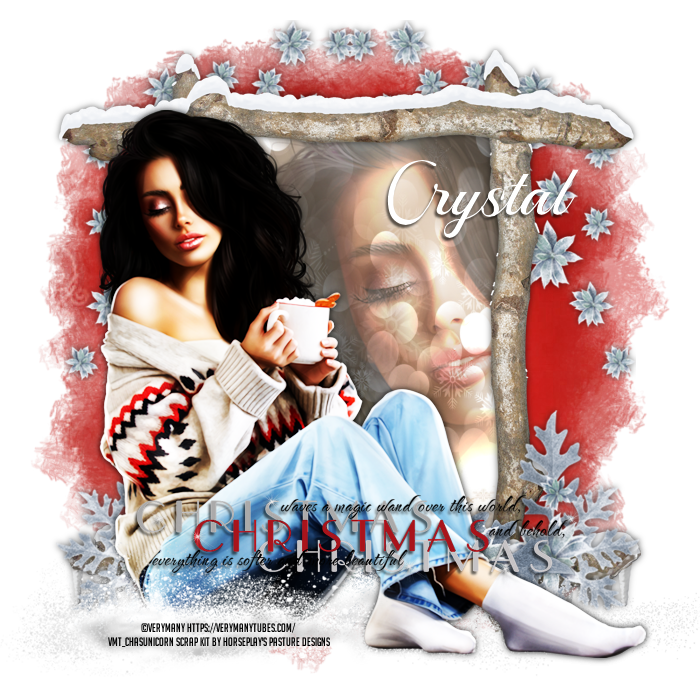
This tutorial was written on December 4, 2025.
Supplies:
Northern Exposure scrap kit by Horseplay's Pasture Designs - HERE
Cozy Morning #13 by VeryMany - HERE
Mask of Choice
Canvas Size:
700x700
Step by Step:
1. Open Paper 18…Selections/All…C&P paper into selections and apply your mask of choice
Layers/New Mask Layer/from Image/Merge Group
2. Element 11…C&P as a new layer…MW the inside of the frame…Selections/Expand by 15
3. Paper 3… Add a new layer and C&P paper 3 into selection of the new layer…Slide this layer under the frame layer
4. Close Up Tube… Using your tube RS and place under the frame….Delete any portion of the close up that sticks out from under the frame
Adjust the layer style to Hard Light with a 55% Opacity
5. Full Tube…C&P your full length tube to either left or right of the frame
6. Element 8…C&P as a new layer…RS by 90% x3…Duplicate and arrange above the Mask layer
7. Element 9…C&P as a new layer…RS by 90% x3…Duplicate and arrange above the Frame layer
8. Element 10…C&P as a new layer…Align Horizontally Centered on the bottom of the frame
9. Element 28…C&P as a new layer…Align along the bottom of the full tube… She is going to look like she is sitting in a snowy patch
10. Element 35 Word Art… C&P where you would like your word art at
11. Add your © and name and you are complete
No comments:
Post a Comment