
This tutorial was written by Chasunicorn
on February 16, 2013.
*Updated November 2025*
Supplies:
Underwater Lights Texture HERE
Tube by Keith Garvey
Supplies:
Underwater Lights Texture HERE
Tube by Keith Garvey
but I have not seen him selling anywhere recently
Filters:
MuRa Meisters~ Copies
AAA Frames~ Foto Frame
Drop Shadow:
Whatever you prefer
Canvas Size:
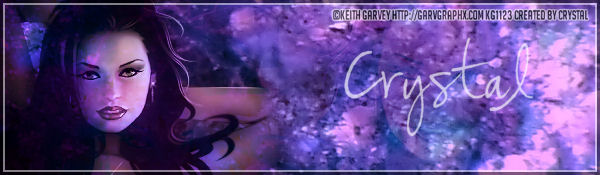
Banner: 600x200
Step by Step:
**Raster 1...Flood Fill with a color from your texture/tube
I am using #8e6a94
**C&P your close up...RS if needed...Apply MuRa Meister~ Copies
Wallpaper settings Default...Opacity 30%...Blend Mode Soft Light
**C&P Texture of Choice...I am using Under3
Arrange to your liking...Blend Mode Overlay
**Add your Tube to one side...Smudge the edges a lil bit to
blend it in to the background...Duplicate...
On the original Blend Mode Luminance (L) Opacity 80%
On the Copy add a blur 10% Blend Mode Overlay Opacity 80%
**Merge Visible and apply AAA Frame~ Foto Frame
Chose your preferred Settings.
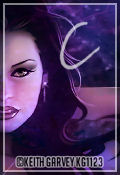
***Create an Avatar if you like
Add your name, Copyright info and Watermark
Re-Size your tag if you want to and you are done.
Filters:
MuRa Meisters~ Copies
AAA Frames~ Foto Frame
Drop Shadow:
Whatever you prefer
Canvas Size:
Banner: 600x200
Step by Step:
**Raster 1...Flood Fill with a color from your texture/tube
I am using #8e6a94
**C&P your close up...RS if needed...Apply MuRa Meister~ Copies
Wallpaper settings Default...Opacity 30%...Blend Mode Soft Light
**C&P Texture of Choice...I am using Under3
Arrange to your liking...Blend Mode Overlay
**Add your Tube to one side...Smudge the edges a lil bit to
blend it in to the background...Duplicate...
On the original Blend Mode Luminance (L) Opacity 80%
On the Copy add a blur 10% Blend Mode Overlay Opacity 80%
**Merge Visible and apply AAA Frame~ Foto Frame
Chose your preferred Settings.
***Create an Avatar if you like
Add your name, Copyright info and Watermark
Re-Size your tag if you want to and you are done.
No comments:
Post a Comment